Overview
The Samsung Messages app will be withdrawn in July 2026, according to an official announcement from Samsung. Millions of Galaxy smartphone, tablet, and watch users who have been using the native messaging software for years are impacted by this move. Google Messages is the new default messaging app for Android devices, and Samsung is pushing everyone to use it.
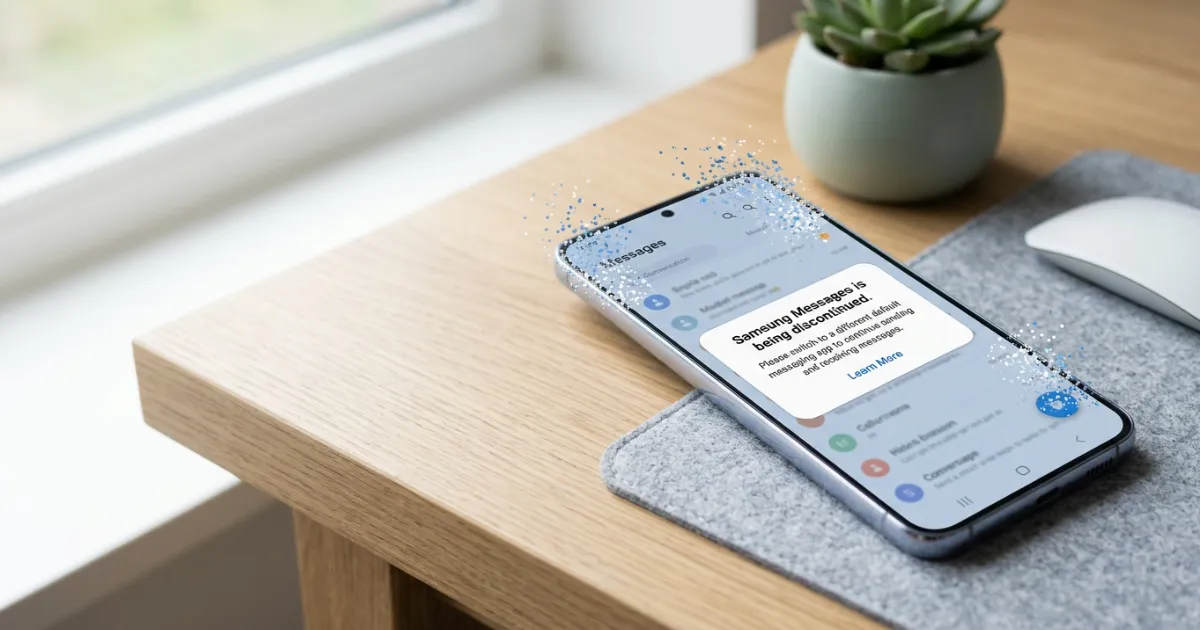
By bringing Samsung closer to Google’s Android ecosystem, the move guarantees improved RCS support, more security features, and a uniform user experience across devices. You have a short window of time—roughly 12 weeks starting in early April 2026—to switch if you still use Samsung Messages on your Galaxy phone.
Everything you need to know about Samsung Messages’ discontinuation, including why it’s occurring, what to anticipate, and how to transition without losing crucial conversations, is covered in this guide. Knowing this change enables you to stay ready and take advantage of contemporary messaging features, regardless of whether you have been a Galaxy user for a long time or prefer basic texting.
The change is a reflection of more general mobile communication trends. RCS (Rich Communication Services) is now given top priority by carriers and IT companies for cross-platform group chats, typing indicators, and high-quality media sharing. For these sophisticated features on Android, Google Messages has taken the lead.
Why Is Samsung Discontinuing Its Messages App?
In 2009, Samsung introduced the Messages app, which became the standard texting solution on Galaxy handsets. With features like adjustable themes, simple attachment handling, and interaction with other Samsung services, it provided a clear interface over time that was adapted to Samsung’s One UI design.
But as the significance of RCS messaging increased, it became difficult to maintain a separate messaging app. Through carrier partnerships, Google Messages offers universal RCS support, offering greater functionality independent of the manufacturer of the device. Samsung started gradually discontinuing its own app.
Samsung stopped pre-installing Samsung Messages and made Google Messages the default starting with the Galaxy Z Fold6 and Z Flip6 and continuing through the Galaxy S25 and S26 series. The app will cease to work for regular messaging in July 2026, according to the official end-of-service statement. It can only be used for pre-established emergency contacts or emergency service numbers after that date.
Android 11 and older devices are unaffected. The greatest impact will be felt by newer Galaxy phones running Android 12 or later. Additionally, Samsung will take the app down from the Galaxy Store so that it cannot be downloaded in the future.
By utilizing Google’s experience in cloud-based messaging, spam prevention, and AI improvements, Samsung is able to concentrate resources on its core competencies, such as hardware innovation.
What Happens After July 2026?
When Samsung stops selling the app:
- Samsung Messages will no longer support regular SMS, MMS, and RCS communications.
- Calls and messages to emergency contacts that have been saved will still be accepted.
- Although it might stay on your device for a while, the app will eventually stop working.
- On more recent devices, such as the Galaxy S26 series, Samsung Messages cannot be reinstalled.
- When synced with Google Messages, older smartwatches (prior to the Galaxy Watch 4) can lose their entire chat history.
Samsung advises making the move as soon as possible to prevent any interruptions. With on-screen instructions, an in-app notification in Samsung Messages will walk you through the procedure.
How to Convert from Samsung Messages to Google Messages: A Step-by-Step Guide
Making the switch is simple and just takes a few minutes. Take these actions:
- On your Galaxy device, launch the Samsung Messages app.
- Search for the official banner or notification asking you to upgrade.
- To start the migration procedure, tap the prompt.
- If Google Messages isn’t already installed, download it from the Google Play Store.
- Go to Settings > Apps > Default apps > SMS app on your phone to make Google Messages your default messaging app.
- Permit contacts, storage, and notifications as needed.
- If you can, transfer your message history by following the on-screen tutorial.
After switching, the Google Messages icon will automatically relocate to your home screen dock on Android 14 and later devices.
You can manually switch if you don’t see an in-app notification:
- Navigate to Settings > Apps > Samsung Messages > Turn off (set as default).
- Open Google Messages after installing it.
- Make it the default.
Most of the time, your current SMS and MMS conversations are transferred automatically. On devices released prior to 2022, RCS talks could momentarily cease; however, once both participants utilize Google Messages, they resume.
Pro Tip: Before switching, make a backup copy of your messages using Samsung Cloud or a third-party backup program.
Key Benefits of Switching to Google Messages
Google Messages has a number of obvious benefits:
- Full RCS Support — Send high-resolution images, videos, and files. Take advantage of dependable cross-carrier typing indicators, read receipts, and group chat improvements.
- Advanced Spam and Scam Protection — Compared to many alternatives, AI-powered filters are more successful at identifying and blocking dubious messages.
- Gemini AI Integration — Use Google’s AI to provide intelligent responses, message summaries, and original recommendations.
- Multi-Device Connectivity — When logged into your Google account, you can easily use messaging on phones, tablets, and even web browsers.
- Frequent Updates — Google regularly releases enhancements for performance, security, and features.
- Consistent Experience — There is less fragmentation because the same software functions on all Android devices.
After converting, many users report fewer delivery problems and more seamless media sharing.
Samsung Messages vs Google Messages: Detailed Comparison Table
To illustrate the differences, here is a helpful comparison table:
| Feature | Samsung Messages | Google Messages | Benefit | Example |
|---|---|---|---|---|
| RCS Messaging | Carrier-dependent or limited | Full universal support | Richer conversations with anyone on Android | Send uncompressed 4K photos in group chats |
| Spam & Scam Detection | Basic filters | AI-powered advanced protection | Fewer unwanted messages | Automatically blocks phishing texts |
| AI Features | Minimal | Gemini AI for smart replies and summaries | Quicker, smarter responses | Suggests replies such as “On my way!” |
| Default on New Devices | Not pre-installed on recent models | Pre-installed and default on S25/S26 series | No additional setup required | Galaxy S26 opens Google Messages by default |
| Customization | Strong One UI themes and fonts | Clean Material You design with theming | Personalized appearance | Match your wallpaper with dynamic colors |
| Multi-Device Sync | Limited to Samsung ecosystem | Works on phone, tablet, and web | Access messages from anywhere | Reply from your Chromebook |
| Emergency Functionality | Full support until discontinuation | Standard SMS/MMS with RCS | Reliable in critical situations | Text emergency contacts after July 2026 |
| Update Frequency | Slowing down | Frequent Google updates | Latest security patches | New features added monthly |
This table shows why Samsung is making the change—Google Messages offers a more future-proof experience.
Messaging Usage Statistics and Global Trends
One of the most popular functions on cellphones is still messaging apps. More than 90% of Android users utilize SMS or RCS on a daily basis for both personal and professional communication, according to industry reports.
With billions of messages transmitted each month via rich features, RCS use has increased significantly worldwide. Major carriers in the US completely support RCS in Google Messages, which increases participation in group discussions and media sharing.
Users who switch to apps with robust spam protection report up to 40% fewer unsolicited messages, according to surveys. Time is saved by AI-assisted features like smart replies, which are used in more than 30% of conversations.
These patterns demonstrate why it makes sense to align with Google Messages for a better, safer everyday experience on Galaxy smartphones.
Pros and Cons of the Samsung Messages Discontinuation
Pros:
- Unified Android messaging experience reduces app fragmentation.
- Access to superior RCS features and AI tools.
- Stronger security and spam defenses.
- Long-term dependability is guaranteed by Google’s frequent updates.
- Easier management for users who own several Android devices.
Cons:
- Some users prefer Samsung Messages’ One UI integration and customization options.
- Temporary RCS disruption possible on pre-2022 devices.
- Older smartwatches may lose full messaging history support.
- Need to learn a slightly different interface.
Overall, the benefits outweigh the drawbacks for most people, especially with the guided migration process.
Common Issues During the Switch and How to Fix Them
Many users encounter minor hiccups when changing apps. Here are solutions to frequent problems:
- Messages Not Transferring: Ensure both apps have storage permissions. Restart your phone after setting the default.
- RCS Not Working: Verify your carrier supports RCS. Ask contacts to switch to Google Messages too.
- Notification Delays: Clear cache for both messaging apps and re-enable notifications.
- Missing Conversations: Check Google Messages archives or use backup tools.
- App Not Found: Download Google Messages directly from the Play Store.
If issues persist, visit Samsung support pages or Google Messages help center for device-specific troubleshooting.
Best Tips for a Smooth Transition
Follow these practical tips to make the switch easier:
- Switch as soon as possible to test everything before the July 2026 deadline.
- Inform frequent contacts about the change so they can update their side if needed.
- Explore Google Messages settings to customize notifications, themes, and chat categories.
- Enable end-to-end encryption options where available for sensitive conversations.
- Use the web version of Google Messages at messages.google.com for desktop access.
- Keep both apps temporarily during the first week to compare performance.
These steps help you adapt quickly and enjoy the new features without stress.
Beginner Mistakes to Avoid When Switching
New users often make these errors:
- Ignoring the in-app notification and delaying the switch.
- Forgetting to set Google Messages as the default app.
- Not granting all required permissions, leading to missing media.
- Assuming all old custom themes will transfer exactly (they may look different).
- Not checking RCS status after switching.
Avoid these by reading on-screen prompts carefully and testing a few messages right after the change.
Future Trends in Mobile Messaging
The discontinuation points to a larger shift toward standardized, cloud-powered messaging. RCS continues expanding globally, with more carriers adopting advanced features like high-quality video sharing and location integration.
AI will play a bigger role, offering automatic message organization, translation, and even predictive responses. Cross-platform compatibility improves as companies focus on seamless communication between Android and other ecosystems.
Samsung’s move to Google Messages positions Galaxy users at the forefront of these developments, with better integration into Google’s broader services like Gemini and Photos.
Expect continued improvements in security, privacy controls, and accessibility features in the coming years.
Trending FAQs About Samsung Messages App Discontinued
What is the Samsung Messages app discontinuation? Samsung officially ends support for its native Messages app in July 2026. The company encourages users to switch to Google Messages for continued SMS, MMS, and RCS functionality.
When exactly will Samsung Messages stop working? The app will be discontinued in July 2026. Check the in-app notification for your device’s specific date. Android 11 and older devices are not affected.
Is it worth switching to Google Messages? Yes. You gain better RCS support, AI features, stronger spam protection, and regular updates. Most users find the transition improves their messaging experience.
How does Google Messages work compared to Samsung Messages? Google Messages handles standard texts while adding rich features like high-quality media sharing and typing indicators when both parties use compatible apps. It integrates deeply with Android and Google services.
Will I lose my old messages when switching? Usually no. Most conversations transfer automatically. Back up important chats beforehand for extra safety.
What about my Galaxy Watch? Newer watches work well with Google Messages. Older models (before Galaxy Watch 4) may have limited conversation history but can still send and receive basic texts.
Can I still download Samsung Messages after July 2026? No. The app will be removed from the Galaxy Store and will no longer be available for new installations.
Are there any costs involved in switching? The switch is completely free. Both apps are available on official stores without additional charges.
What if I prefer Samsung’s interface? Many users adapt quickly to Google Messages’ clean design. You can customize themes and notifications to match your preferences.
Will RCS work immediately after switching? It may take a short time to activate. On pre-2022 devices, ongoing RCS chats might pause temporarily until both users switch.
How do I get help if something goes wrong? Use the built-in help in Google Messages, visit Samsung’s support site, or check Google’s official messaging help pages.
What are the future plans for messaging on Galaxy phones? Samsung focuses on providing the best Android experience through Google Messages, with ongoing enhancements for security, AI, and cross-device use.
Conclusion
The discontinuation of the Samsung Messages app in July 2026 marks the end of an era but opens the door to a more capable and future-ready messaging experience with Google Messages. By making the switch now, you avoid last-minute issues and gain access to modern features like reliable RCS, AI assistance, and robust spam protection.
Samsung designed the transition to be user-friendly with guided steps and automatic icon placement on newer devices. Take advantage of the remaining time to explore Google Messages, test its features, and ensure everything works smoothly with your contacts.
This change ultimately benefits Galaxy users by delivering a consistent, secure, and feature-rich way to stay connected. Start the migration today through your Samsung Messages app or the Play Store, and enjoy improved texting on your Samsung device.

I am a content creator/ Digital Marketor.